 NotiNap
Let noisy apps take a nap.
NotiNap mutes the apps you choose at the times you choose: office hours, holidays, a family function, bedtime. Wi-Fi and mobile data stay on, so calls and important messages still get through.
NotiNap 1.0 is in store review now.
Set it once. Forget about it.
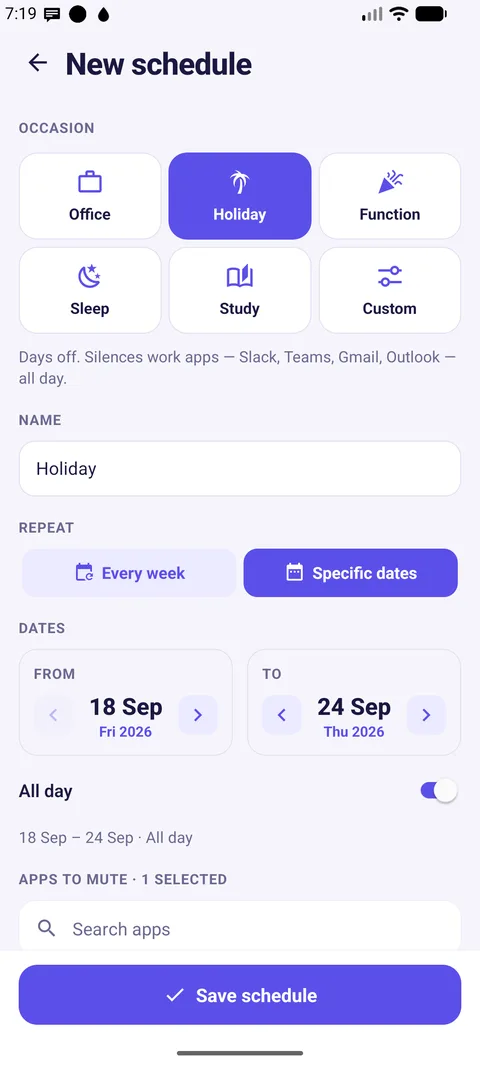
Three taps and your phone knows when to stay quiet, every week or just for your holiday.
Pick the occasion
Office, Holiday, Function, Sleep or Study. NotiNap suggests sensible times and the apps that usually get in the way.
Choose the apps
Instagram, WhatsApp groups, Slack, games, whatever pulls you in. Your bank, OTPs and calls are never touched.
Let them nap
At the start time the chosen apps go quiet on their own and wake up again when it ends. You'll get a short summary afterwards.
A mode for every part of your life
Weekly routines or specific dates: a Diwali holiday, your sister's wedding, exam week.
Office
Social apps quiet 9:30 to 6:30 on weekdays.
Holiday
Work apps silent for the whole trip.
Function
Wedding or pooja? Be present, not on your phone.
Sleep
Quiet from 10:30 pm to 7 am, across midnight.
Study
Distractions off 5 to 8 pm, Monday to Saturday.
Everything you need, nothing you don't
Built for real phones and real days.
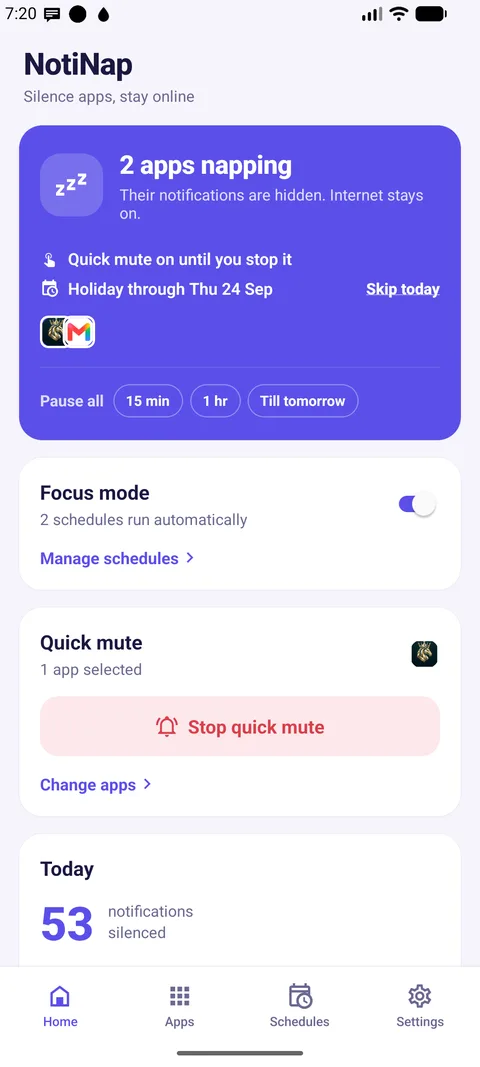
- Quick mute. One tap silences your chosen apps for 30 minutes, an hour, or until you stop it.
- Keyword exceptions. Let messages with words like "OTP", "urgent" or a name always come through (Android).
- Skip today. Plans changed? Skip one day without touching the schedule.
- Pause everything. Wake all apps for 15 minutes, an hour or until tomorrow.
- Widget and Quick Settings tile. Mute from the home screen or notification shade (Android).
- Backup and restore. Sign in with Apple, Google or as a guest, and get your setup back on a new phone.
- Your language. English, हिंदी and मराठी.
Works the way your phone works
Android and iPhone handle quiet time differently, and NotiNap uses the right tool on each.
🤖 Android
NotiNap uses Android's notification access to hide notifications from the apps you muted, right when they arrive. The apps keep working in the background, so nothing is lost.
- Notifications hidden during a schedule or Quick mute
- Keyword exceptions, status notification and wake-up summary
- Home screen widget and Quick Settings tile
iPhone
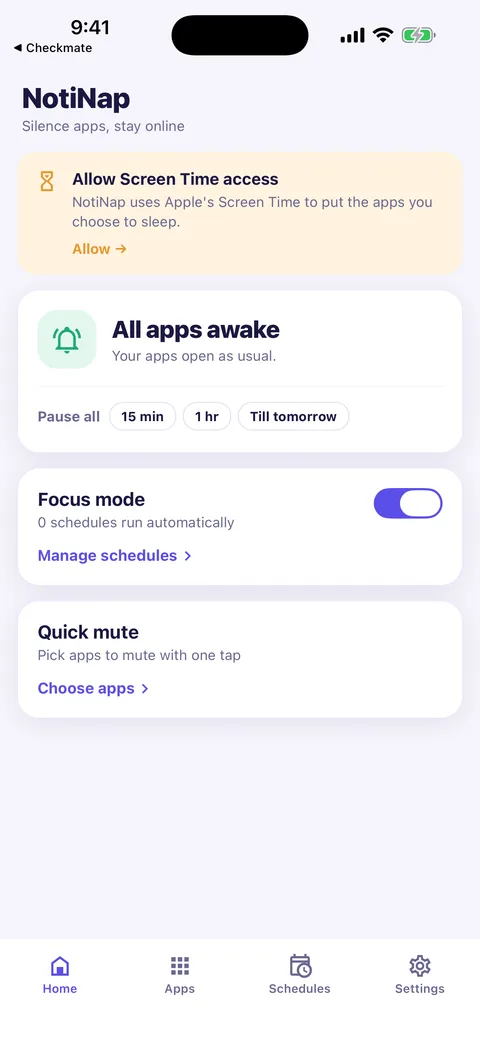
NotiNap uses Apple's Screen Time. You pick apps in Apple's private picker, and during your schedule they show a calm "napping" screen instead of opening.
- Apps shielded by Screen Time on schedule or with Quick mute
- NotiNap never sees which apps you picked; Apple keeps that private
- Built-in guide to set up an iOS Focus for notifications
Private by design
Your notifications are yours. We built NotiNap so they never have to leave your phone.
- Notification contents stay on your phone. They are never stored, logged or uploaded.
- No analytics. Free, supported by Google AdMob ads. Ads never see your notifications or schedules.
- Account is optional. It is only used to back up your schedules and settings.
- Delete any time. Settings → Account → Delete account removes everything immediately.
Questions
If yours isn't here, email welldayreview@gmail.com.
Will I miss calls or important messages?
No. Only the apps you choose are muted. Phone calls, SMS and every other app work normally. On Android you can also add keywords like "OTP" that always get through.
Does NotiNap turn off my internet?
Never. Wi-Fi and mobile data stay on, so apps keep syncing in the background. When the schedule ends everything is up to date.
Can NotiNap read my messages?
On Android, the system hands NotiNap each notification so it can decide whether to hide it. It checks the app name, and your keywords in memory only. Nothing is saved or sent. On iPhone NotiNap never sees notifications at all.
Why does it ask for Notification access or Screen Time?
That is the only way a phone lets an app quiet other apps. Android calls it Notification access; iPhone calls it Screen Time. You can turn it off any time in your phone's settings.
My schedule stopped working on my Xiaomi / Oppo / Vivo phone.
Some Android phones stop background apps to save battery. Open NotiNap → Settings → Phone setup and follow the steps for your brand to allow Autostart and remove battery limits.
Is it really free?
Yes. It is supported by ads, with no subscriptions and no in-app purchases.
How do I delete my account?
In the app: Settings → Account → Delete account. Without the app, follow these steps.
Give your phone a nap
NotiNap 1.0 is in review on Google Play and the App Store. It will be here soon.